
False alarms in intruder alarm systems can be reduced through suitable detector selection, correct system configuration, regular maintenance, and proper user training. The aim is to prevent pets, environmental changes, equipment faults, and everyday activity from being mistaken for an intrusion.
Repeated false alarms can disrupt homes and businesses, create unnecessary responses, and reduce confidence in the security system. However, alarms should never be ignored simply because previous activations were false. Every event should be treated seriously until its cause has been checked.
What Causes False Intruder Alarms?
False alarms are not always caused by a faulty detector. They can result from the environment, the system setup, or the way the property is used.
Common cause
Typical example
What should be reviewed
Pets
A dog or cat enters a protected room
Pet immunity mode, detector type, room layout
Moving Objects
Curtains, decorations, or plants move due to airflow
Nearby objects, ventilation, and detection coverage
Temperature changes
A heater, air conditioner, or direct sunlight affects a PIR detector
Sensitivity, and environmental conditions
Doors & windows
A contact is misaligned or a door moves in strong wind
Contact position, door stability, and installation quality
Incorrect arming
People remain inside an area that has been fully armed
Areas, scenarios, entry delays, and partial arming settings
Equipment issues
Low batteries, damaged cables, or unstable wireless communication
Device status, signal strength, wiring, and maintenance history
How Does Detector Selection Reduce False Alarms?
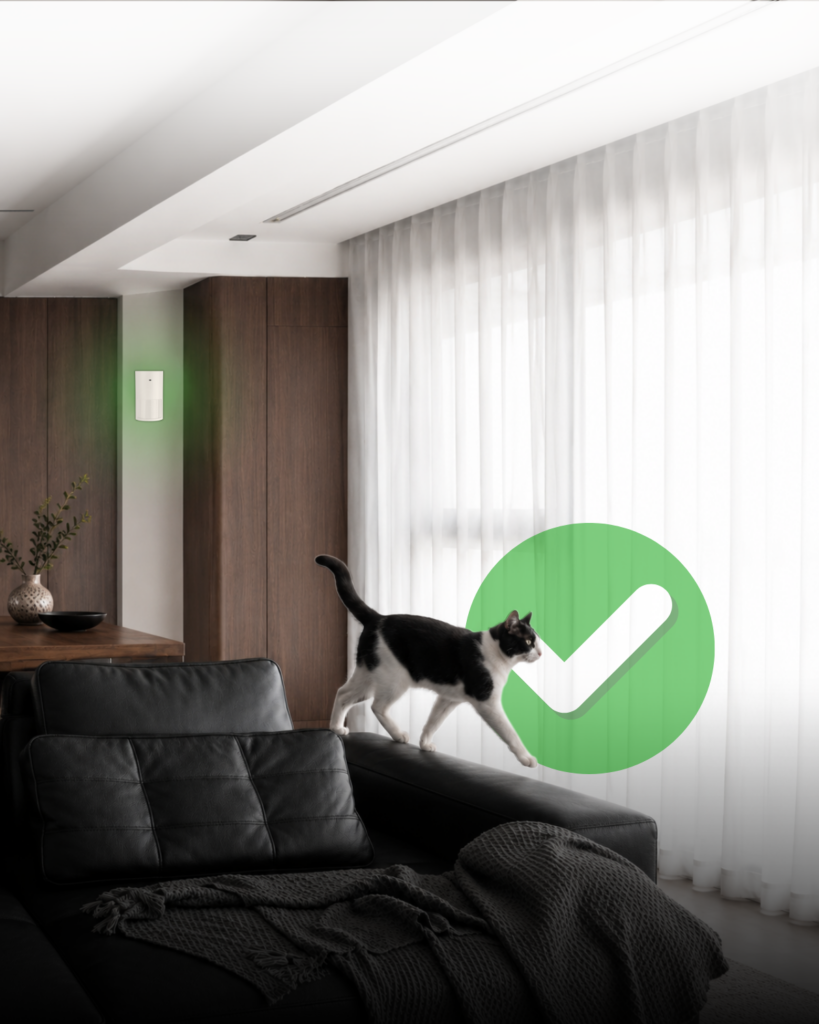
Different environments require different types of intrusion detection.
For instance, a standard passive infrared (PIR) detector may be suitable for rooms in apartments without pets. In homes with animals, however, a detector with an appropriate pet immunity function can help distinguish normal pet movement from a potential intruder. Pet immunity still depends on the animal’s size, the detector settings, and the installation conditions.
Dual-technology detectors combine PIR and microwave sensing (MW). Depending on the selected operating mode, the detector may require both technologies to confirm movement before generating an alarm. This can provide greater resistance to environmental disturbances in more demanding locations.
Sensitivity should also match the protected space. Increasing sensitivity is not always better, while reducing it too far may create gaps in protection. Detector type, sensitivity, coverage, and operating mode should be selected together by a qualified installer.
Can System Configuration Prevent User-Related Alarms?
Many false alarms happen because the system does not reflect how the property is actually used.
For example, a home may require partial arming at night that protects doors, windows, and unoccupied rooms while allowing movement in bedrooms, corridors and bathrooms. A shop, on the other hand, may need different areas for the sales floor, warehouse, office, and staff entrance.
Entry and exit delays must also give authorised users enough time to leave or disarm the system. Additionally, something as simple as clear area names and simple controls reduce the risk of users arming the wrong part of the property.

Why Are Maintenance and Event History Important?
Low batteries, loose connections, damaged contacts, poor wireless signal, and ageing devices can all cause unreliable operation.
Regular maintenance should include testing motion detectors, door and window magnetic contacts, sirens, communication channels, backup power, and tamper protection. Wireless systems should also be checked for battery condition and signal quality.
The event history can help identify recurring patterns. Alarms from the same detector at a particular time may be linked to direct sunlight, heating schedules, cleaning activities, or pets entering the room because of timed automatic feeders, for example.
Replacing a detector without understanding the cause may not solve the problem. The surrounding conditions and system configuration should be reviewed as well.
Can Video Verification Help prevent false alarms?
Video verification does not necessarily prevent a detector from activating, but it can help users or monitoring personnel determine whether the event is likely to be genuine.
Images from a motion detector with a camera or a connected IP camera can provide additional context before action is taken. This can reduce unnecessary responses while still allowing real intrusions to be handled quickly. You can learn more about it in this short video.
How Can Teletek Solutions Help Reduce False Alarms?
Teletek offers wired and wireless intrusion detectors for different residential and commercial environments. Products such as PIRIN DL provide adjustable sensitivity and selectable pet immunity, while dual-technology detectors such as the PIRIN MW combine infrared and microwave detection for more demanding applications.
The PAX wireless series extends these options with motion detectors, magnetic contacts, sirens, and PIRCAM video verification. Features such as pet immunity, pulse filtering, temperature compensation, and device status monitoring help installers adapt the system to the conditions in each protected area.
PAX devices work with EMA, Teletek’s wireless intruder alarm system. Multiple security areas, partial arming, configurable scenarios, and information about battery levels and wireless signal strength help the system reflect how the property is actually used and make recurring issues easier to identify. PIRCAM detectors and connected IP cameras can also provide visual context when an alarm occurs.
Together, these solutions support more accurate detection and clearer alarm verification without weakening the level of protection.
Experiencing repeated false alarms? Contact our team to find the right combination of detectors, system settings, and verification solutions for your project.
Frequently Asked Questions
Check which device activated, review the surrounding conditions and event history, and ask a qualified installer to inspect repeated or unexplained activations.
Sensitivity can be adjusted on some detectors, but lowering it without proper assessment may reduce protection. The source of the false alarm should be identified first.

